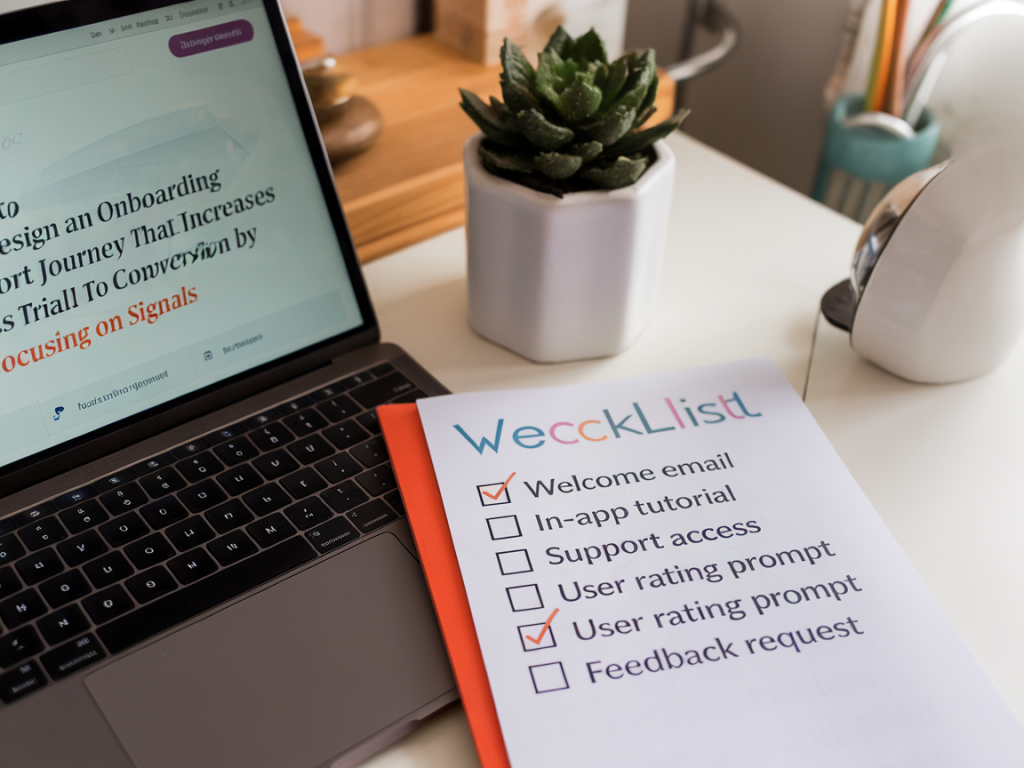
how to design an onboarding support journey that increases trial-to-paid conversion by focusing on signals

how to design an onboarding support journey that increases trial-to-paid conversion by focusing on signals

When I work with product and support teams on onboarding, I stop thinking about "onboarding" as a single linear process and start thinking about a conversation made of signals. Every click, message, error, and delay is a signal that tells you whether a trial user is moving toward activation — or toward churn. Designing an onboarding support journey around these signals is the fastest, highest-leverage way I've found to lift trial-to-paid conversion.

What do I mean by signals?

Signals are observable user behaviours and support interactions that correlate with important outcomes: activation, retention, payment. They can be explicit (a support ticket, a chat request) or implicit (time to first key action, repeated failed attempts, long inactivity after signup). The key is treating signals as actionable inputs, not just metrics to watch in a dashboard.

Start by mapping the activation milestones

Before you instrument anything, define the activation milestones that indicate meaningful value for your product. For a collaboration SaaS product that might be "create first project", "invite teammates", and "integrate with Slack". For a fintech trial it's "link a bank account", "make first transfer", or "verify identity".

List 3–5 milestones that represent the minimal core value. These are the events you'll track for signals and tie to your support playbook.

Choose high-signal events and thresholds

Not every event is useful. Focus on those that are predictive of conversion:

  • Time-to-first-value: How long from signup to the first milestone? Long delays are strong negative signals.
  • Failed attempts: Repeated failures of the same task (e.g., payment card declined three times) suggest friction needing intervention.
  • Feature exploration patterns: Users who open the key feature page twice within 24 hours but don't complete the task are prime candidates for help.
  • Support activity: A user browsing help docs for a particular topic, or opening the chatbot frequently, indicates intent.
  • Inactivity after partial progress: Abandoned flows where users complete 70–90% of a funnel and drop off.
  • For each event, define a threshold that turns a passive metric into an active signal. For example, "no invite sent within 48 hours after creating first project" or "three failed card attempts in 30 minutes".

    Instrument signals across your stack

    Signals come from product analytics, support tools, and communication channels. Practical setups I've used combine:

  • Product analytics (Mixpanel, Amplitude, GA4) for event capture and cohorting;
  • Support platforms (Zendesk, Intercom, Freshdesk) for conversation and ticket signals;
  • In-app messaging / engagement tools (Appcues, Customer.io, Braze) for nudges;
  • Billing systems (Stripe, Chargebee) to surface payment failures.
  • Make sure events are named consistently and include contextual properties (plan type, company size, signup source). This reduces noise when you build rules that trigger interventions.

    Design a signal-driven orchestration layer

    The orchestration layer converts signals into actions. I often use a combination of rules in an engagement platform and a lightweight workflow engine. The basic components:

  • Signal ingestion: Events stream into the orchestration layer (e.g., Segment -> Engagement tool).
  • Rule engine: Simple if/then logic evaluates thresholds and user attributes.
  • Action library: Templates for messages, agent tasks, and product prompts.
  • Human escalation: Flags for CX reps when a high-value prospect needs intervention.
  • Example rule: If a user from a company with >10 seats has attempted to add teammates twice in 24 hours but hasn't succeeded, trigger an in-app chat prompt offering help; if no response in 6 hours, create a high-priority ticket assigned to an onboarding specialist.

    Personalise interventions by signal priority

    Not every signal warrants the same response. I recommend a three-tier approach:

  • Auto-resolve (low priority): Lightweight nudges and contextual help for common, low-risk friction (tooltips, short walkthroughs, knowledge base links).
  • Guided self-serve (medium): Interactive flows and templated messages when users show repeated but non-critical friction (e.g., progressive disclosure, pre-populated forms, video walkthrough).
  • Human-assisted (high priority): Direct, proactive outreach for high-value users or signals that block activation (payment failures, compliance verification, onboarding for large accounts).
  • Prioritisation should factor in ARR potential, speed to activation, and signal severity.

    Script the human moments carefully

    When you escalate to a human, the quality of that interaction is make-or-break. I coach teams to use two simple principles:

  • Signal-aware starts: Agents should begin conversations referencing the specific signal ("I see you tried to invite teammates twice — can I help complete that?"). This shows relevance and reduces explanation time.
  • Outcome-oriented closes: Always confirm the next step toward activation ("Great — I've invited the teammates for you. You'll receive a confirmation; I'll follow up in 24 hours to check activation").
  • Templates are useful, but train agents to adapt. The goal is to turn friction into momentum, not to read scripts.

    Measure what matters — signals tied to conversion

    Track both leading and lagging indicators:

  • Leading: Reduction in time-to-first-value, number of signal-triggered interventions, response times for escalations.
  • Lagging: Trial-to-paid conversion, average revenue per converted user, churn at 30/90 days.
  • Run experiments where you A/B test different interventions for the same signal. For example, compare an in-app chatbot response vs email + checklist for users stuck at 70% of a setup funnel. Measure conversion lifts and cost per conversion.

    Operational considerations and tooling notes

    Practical tips from the trenches:

  • Invest in event quality early — bad data kills rule accuracy faster than anything else.
  • Use a playbook library in your support tool so agents can quickly execute recommended actions tied to signals.
  • Leverage billing webhooks (Stripe) to trigger payment-related interventions immediately — delays here are painful for conversions.
  • Monitor signal fatigue. Too many messages for the same user create annoyance; include cool-down windows and a cap on interventions per user.
  • Consider specialized orchestration platforms like Workato or Hull if you need complex cross-system flows, but start simple with Segment + your engagement tool.
  • Examples that worked

    At one SaaS company I advised, we reduced time-to-first-project from 36 hours to 11 by triggering a targeted, in-app walkthrough for users who opened the project page twice without creating one. That single change increased trial-to-paid by 8% for the targeted cohort. In another case, proactive outreach for users who experienced payment failure (template plus 1:1 help) cut churn during billing from 18% to 6% in the first 30 days.

    Designing an onboarding support journey around signals forces you to be specific about what "success" looks like, automates low-touch interventions, and reserves human time for the moments where it truly moves the needle. The result is a more efficient support operation and, importantly, more trial users who see value fast — and convert.

    You should also check the following news:

    Analytics & Insights

    the minimal data collection plan that lets you demonstrate ROI from self-service articles

    02/12/2025

    When I help teams prove the value of self-service content, the most common problem I see is an appetite for perfect measurement that never turns into...

    Read more...
    the minimal data collection plan that lets you demonstrate ROI from self-service articles
    Analytics & Insights

    how to build a one-week experiment to compare intercom flows vs current conversations

    02/12/2025

    I often get asked how to run fast, low-risk experiments that actually tell you whether a new automation or conversational flow is worth rolling out....

    Read more...
    how to build a one-week experiment to compare intercom flows vs current conversations