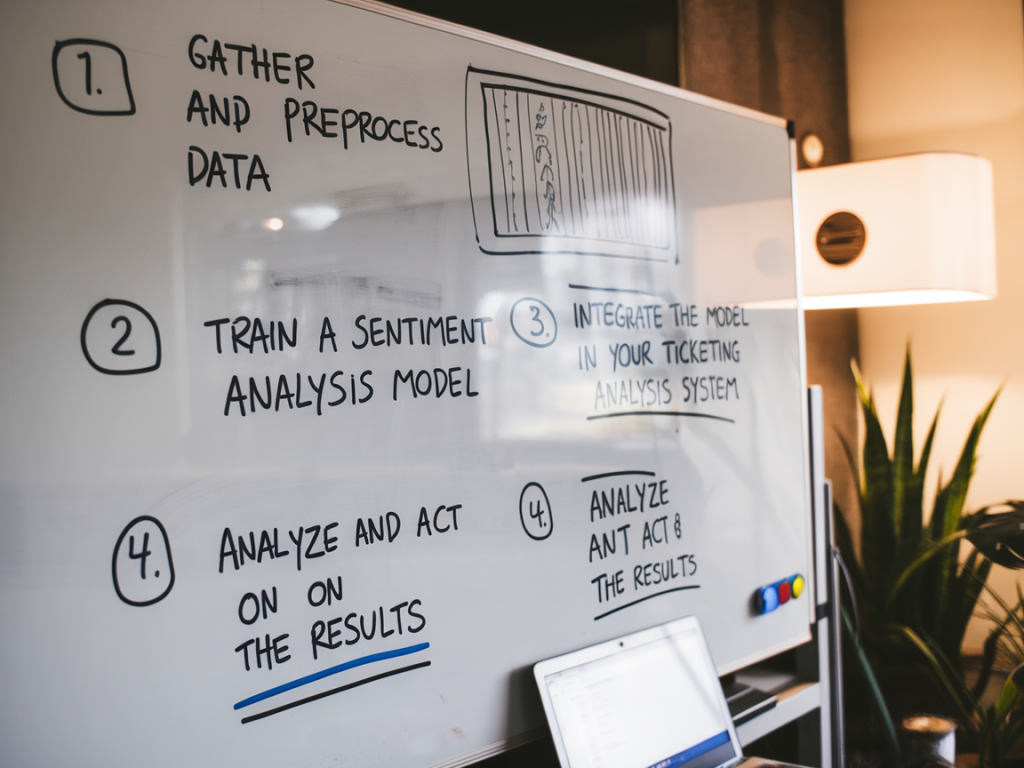
When I first started experimenting with sentiment analysis in a ticketing system, I expected a quick win: drop in manual triage, faster escalations, happier customers. What I found was more nuanced and, ultimately, more valuable. Sentiment isn't a magic wand — it's a signal. Done well, it helps your team prioritize, improve coaching, and spot trends before they become crises. Done poorly, it creates false alarms and erodes trust in automation.
Why add sentiment analysis to your ticketing system?
I treat sentiment analysis as an early-warning system and a quality amplifier. Here’s what it can reliably do for you:
Keep in mind: sentiment should complement — not replace — traditional signals like priority, SLA, or explicit customer tags. It's one more dimension in your decision-making toolbox.
Choose the right model and provider
Start by deciding whether you want a managed service or to run models yourself. My rule of thumb is:
Brands I've worked with often use a hybrid approach: start with an off-the-shelf API for immediate value, then iterate to a custom model fine-tuned on labeled tickets. Off-the-shelf works surprisingly well on general customer language, but domain-specific phrasing (refunds, technical error codes, product names) benefits from domain tuning.
Define what "sentiment" means for your team
Before you integrate anything, agree on definitions. Sentiment can be:
I recommend starting with polarity + intensity. They're simple for downstream rules (e.g., score < -0.5 triggers an urgent escalation). If you're a product or research heavy team, layering emotion categories can surface richer insights — e.g., "confusion" vs "anger" require different responses.
Collect and label a seed dataset
Even if you use a managed API, label a sample of tickets from your own system. I usually aim for 3,000–10,000 tickets for a first fine-tune if going custom, but even 500 labeled examples are useful to validate off-the-shelf performance.
Integrate sentiment scoring into your ticketing workflow
My preferred approach is incremental:
Most ticketing platforms (Zendesk, Freshdesk, Intercom, Salesforce Service Cloud) support adding custom fields and triggers. For example, run a sentiment API on ticket creation and append a numeric field "sentiment_score". Use triggers to create high-priority views or Slack alerts for scores below your threshold.
Design rules and thresholds that make sense
Don't blindly pick -0.5 as your threshold because a blog post suggested it. I recommend:
Monitor performance and drift
Models degrade over time as product language and customer behavior change. Set up monitoring around:
Run monthly audits. I like sampling 200 tickets monthly for human review so you can spot systematic issues early. If your precision drops below your business tolerance, retrain or re-evaluate the provider.
Use sentiment to drive concrete actions
Sentiment becomes valuable when it triggers measurable actions. Here are practical uses I've implemented:
Visualize and operationalize insights
Dashboards are your best friend. I recommend tracking:
| Metric | Why it matters |
|---|---|
| Avg sentiment score by week | Detects macro trends and impacts of releases |
| Volume of negative tickets by product area | Prioritizes fixes and UX improvements |
| Response time for negative tickets | Operational measure for escalation performance |
| Precision of automated escalations | Ensures automation remains trusted |
Embed these dashboards in your service operations review and product standups. When I share raw examples alongside aggregated metrics, stakeholders appreciate the human stories behind the numbers.
Human-in-the-loop: keep humans central
Sentiment models make mistakes — especially with sarcasm, mixed sentiment, or multilingual tickets. Build explicit review flows for escalations so an experienced agent or supervisor validates the action. This keeps customer experience safe and preserves agent trust in automation.
Privacy, multilingual support and edge cases
Consider privacy laws (GDPR), especially if you send PII to third-party APIs. Options:
Watch for edge cases like very short messages ("ok", emojis) or multi-turn threads where sentiment changes during a conversation. Often the latest customer message matters most for prioritization; for trend analysis, consider aggregating across the whole thread.
Common pitfalls and how to avoid them
Fast checklist to get started this week
Sentiment analysis won't solve all your support challenges, but when implemented thoughtfully it becomes a force multiplier: a way to move faster, coach smarter, and prevent small issues from becoming big ones. Treat it as an iterative capability — validate quickly, involve humans, and measure impact against real business outcomes like CSAT, time-to-resolution, and churn.