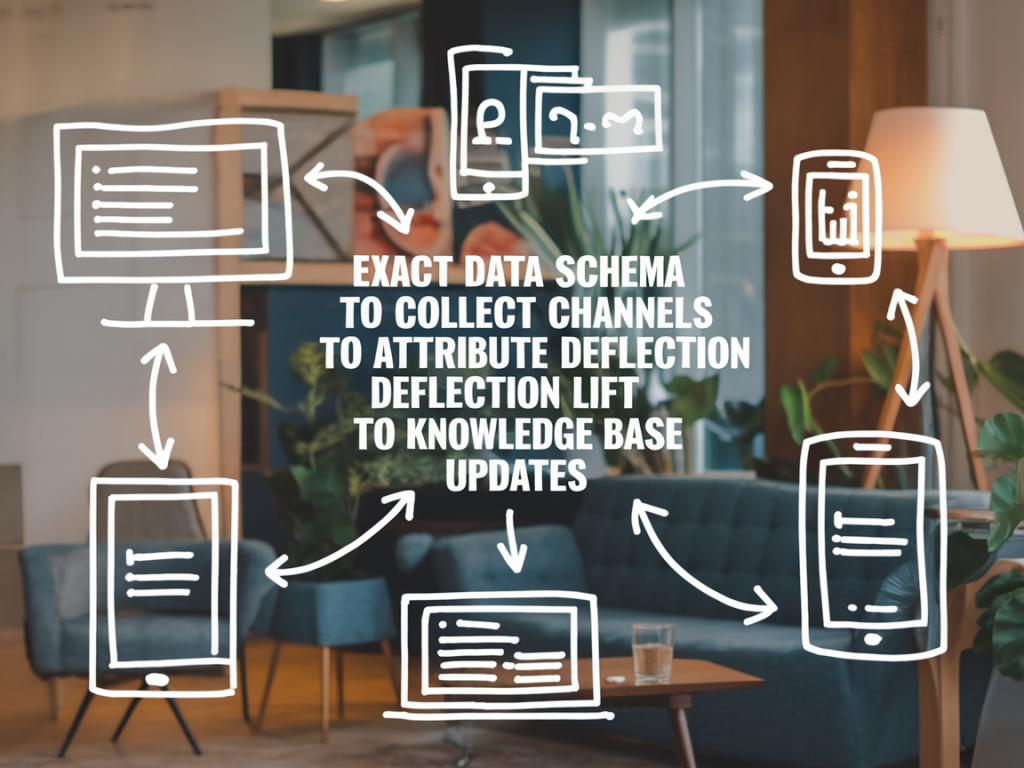
In my experience, one of the trickiest measurement problems in digital support is proving that knowledge base updates actually cause deflection lift. Teams often have the intuition—searches drop, contact volume falls—but without a consistent event schema across channels it's nearly impossible to attribute change to a content update rather than seasonality, product changes, or bot tuning. Below I share an exact, pragmatic data schema you can implement to attribute deflection lift to KB updates across web, in-app help, chatbots, and contact center channels.
Principles that guide the schema
I design schemas with three priorities in mind:
Identity continuity — be able to tie a single user/session across search, KB view, bot interaction and ticket.Content-level granularity — track interactions at the article/fragment level (not just “KB viewed”).Event timestamps and causality windows — include precise timestamps so you can define pre/post windows and causal funnels.These principles ensure you can ask: “Users who saw article X after it was updated—did they contact support less in the following 7 days compared with a control group?”
Core entities and unique IDs
Collect these core identifiers for every event:
user_id — persistent, non-personally-identifying ID (hashed email or account ID).session_id — browser/app session ID to group events within a session.event_id — unique UUID for the event.device_id — optional, for cross-device analysis.anonymous_id — for unauthenticated users (cookie or device fingerprint), kept separate from user_id.Events to capture (by channel)
Below are the event types I instrument and the fields each should include. Use consistent naming across channels so data pipelines can join and aggregate easily.
Knowledge base / article events
kb_view — when an article page is loaded.Required fields:
article_id (slug or numeric ID)article_version (semantic version or updated_at timestamp)article_titlesection_id (if you track fragments or accordions)view_timestamp (ISO 8601 UTC)referrer (search query, internal navigation, external referrer)user_intent (optional: inferred intent tag like 'billing', 'setup')time_on_page_secondsscroll_depth_pctSearch events (site and in-app)
kb_searchFields:
search_query (raw)search_timestampresults_returned (count)result_positions — array of article_id with rank (helps identify which article was clicked)clicked_result_id (nullable)click_positionsearch_filters (if any)Bot & virtual assistant events
bot_interactionFields:
bot_id / bot_versiontrigger_type (message, button, proactive)matched_article_id (if bot surfaced an article)confidence_scoreresolved_flag (did the bot mark it resolved?)handover_flag (did it escalate to human?)interaction_timestampContact channel events (email/ticket/voice/chat)
ticket_opened and ticket_closedFields:
ticket_idchannel (email, phone, webform, live_chat)subject_tags (parsed intent)created_timestampfirst_response_timestampresolution_timestampresolution_tags (if agent linked an article or used KB)originating_event_id (if created by a bot handover or ‘contact support’ click)Feedback & satisfaction events
article_feedbackFields:
article_idfeedback_type (thumbs_up/down, rating)comment_text (if provided)feedback_timestampDerived & metadata fields
These fields are calculated or attached to events to make analysis easier:
article_updated_at — canonical last edit timestamp for the article (from CMS).article_update_type — minor edit, major rewrite, new article, SEO tweak.experiment_id — if you run A/B tests or staged rollouts of KB content.user_segment — account plan, region, or other segmentation attributes.Sample event-to-field mapping table
| Event | Key fields |
|---|
| kb_view | user_id, session_id, article_id, article_version, view_timestamp, referrer, time_on_page_seconds |
| kb_search | user_id, session_id, search_query, results_returned, clicked_result_id, search_timestamp |
| bot_interaction | user_id, bot_id, matched_article_id, resolved_flag, handover_flag, interaction_timestamp |
| ticket_opened | ticket_id, user_id, channel, subject_tags, created_timestamp, originating_event_id |
| article_feedback | article_id, user_id (nullable), feedback_type, comment_text, feedback_timestamp |
How to use the schema for attribution
With this schema in place, you can construct funnels and causal comparisons:
Define cohorts of users who viewed article X after article_updated_at (post cohort) and those who viewed it before the update (pre cohort).Compare contact rates for each cohort in a fixed look-forward window (e.g., 7 or 14 days post-view).Use matching or regression to control for confounders (user_segment, seasonality, product release dates).If you implement experiment_id, you can randomize exposure to the updated content (staged rollout) and estimate causal lift directly.Key measurement formulas
Here are the straightforward metrics I compute from the events:
View-to-contact rate = (number of users who opened a ticket within N days of kb_view) / (number of unique users who viewed the article)Deflection rate = baseline contact volume — post-update contact volume (normalized by traffic)Contact risk ratio = (post-view contact rate) / (pre-view contact rate)Practical implementation tips
Standardize timestamps to UTC and use ISO 8601 across all systems.Push CMS article_version and article_updated_at into analytics events at render time — avoid relying on periodic crawls.Instrument “originating_event_id” when support forms or bot escalations create tickets so you can link the ticket back to the KB interaction that preceded it.Store raw search queries for NLP intent classification—this helps group paraphrases and measure intent-specific deflection.Be careful with privacy: hash or pseudonymize identifiers and avoid storing PII in analytics.Pitfalls to avoid
Attributing to the wrong change. Many teams update KB content at the same time product changes or CS process changes happen—always check for concurrent events.Relying only on surface metrics like pageviews. A drop in views might reflect a better search ranking elsewhere, not improved self-service.Not accounting for partial consumption. If users click but bounce instantly, treat those views differently than long reads.Tools and integrations I recommend
For collection and analysis, I often stitch together:
Segment or RudderStack for event collection and routing.ElasticSearch or Algolia for search logs and ranking data.Postgres / Snowflake for event warehousing and cohort queries.Looker, Metabase, or Tableau for dashboards; and Jupyter/Databricks for deeper causal analysis.For chatbots, capture matched_article_id and confidence from platforms like Intercom, Zendesk Answer Bot, or Google Dialogflow — these fields make a huge difference when you want to quantify how often the bot’s KB suggestion prevented a ticket.
If you implement this schema and instrument the events consistently across channels, you’ll move from plausible storytelling to measurable, testable claims about how specific KB updates affect contact volume. The next step is to set up routine reports (weekly cohort comparisons) and a lightweight experiment framework to validate major rewrites or navigational changes.